Student Dashboard report
Use this report to display student results by skills area/subtest with the ability to drill down to strands/objectives.
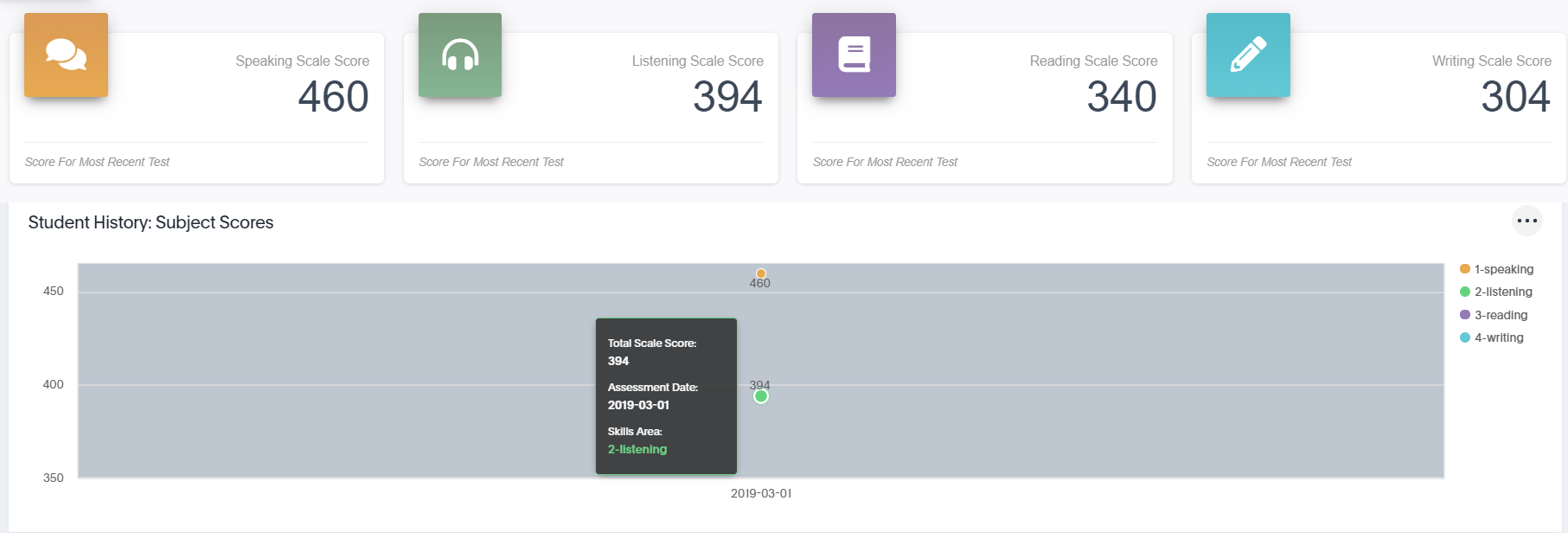
The top of the report is a quick view of scale scores by skills areas. Next is Subject Scores. Hover the cursor over a dot on the graph to display details.
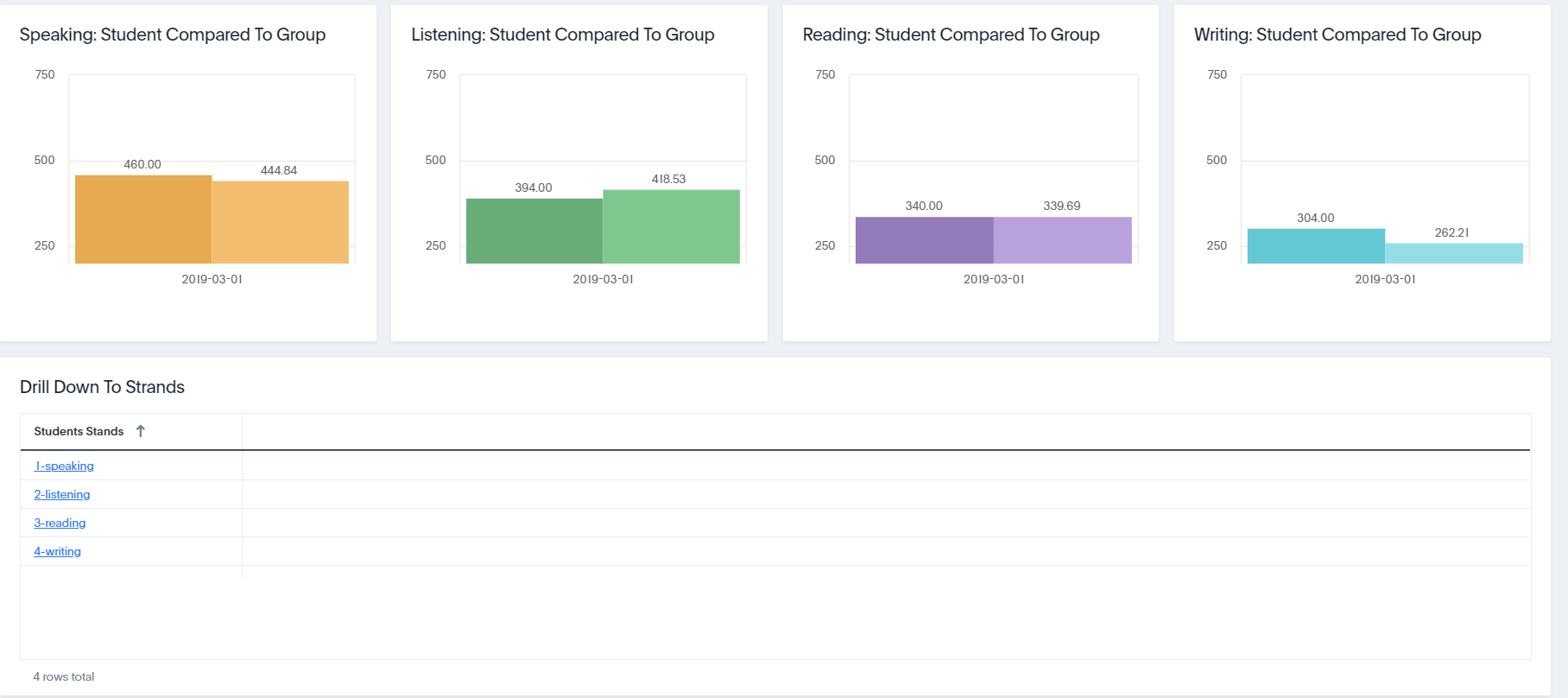
Next, group comparisons by skill area display. In the Drill Down to Strands section, click a link to display the Student % Correct Compared to Group % Correct, Strands % Correct, and the Student History of Subject Scores.